Changelog

Follow new updates and improvements to Digs.

Goodbye Build Season, Hello Built Season: Fall Updates
This season was about keeping your work inside Digs, so you spend less time hunting through inboxes and downloads. Here's what shipped:

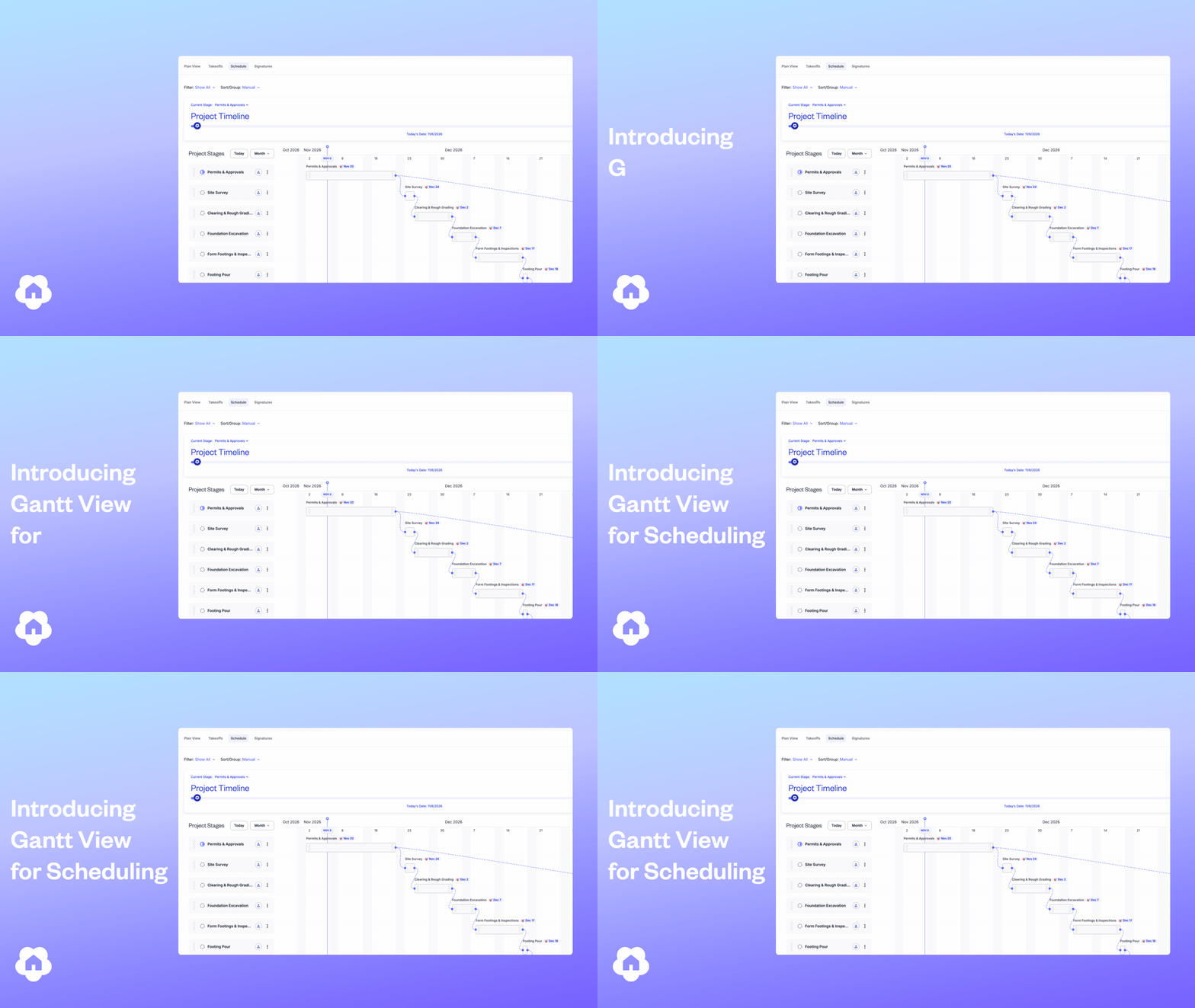
Gantt View for Scheduling

Your schedule, laid out as a timeline. Gantt view shows every stage week by week, so you can see what overlaps and what's coming up at a glance. Changes to the schedule show up as they happen, so everyone is looking at the same plan.
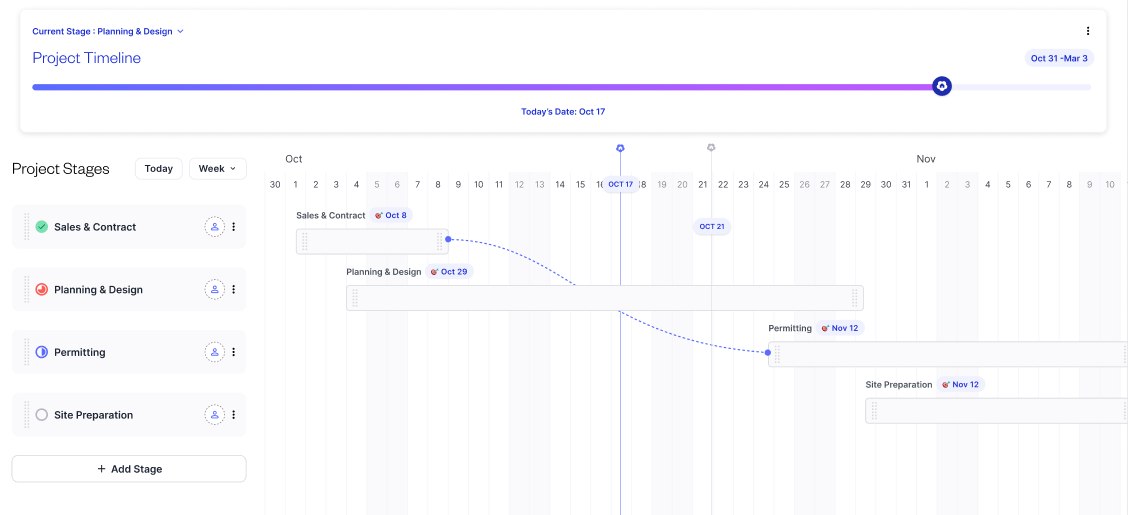
Set up your Schedule

Digs x The Build Show

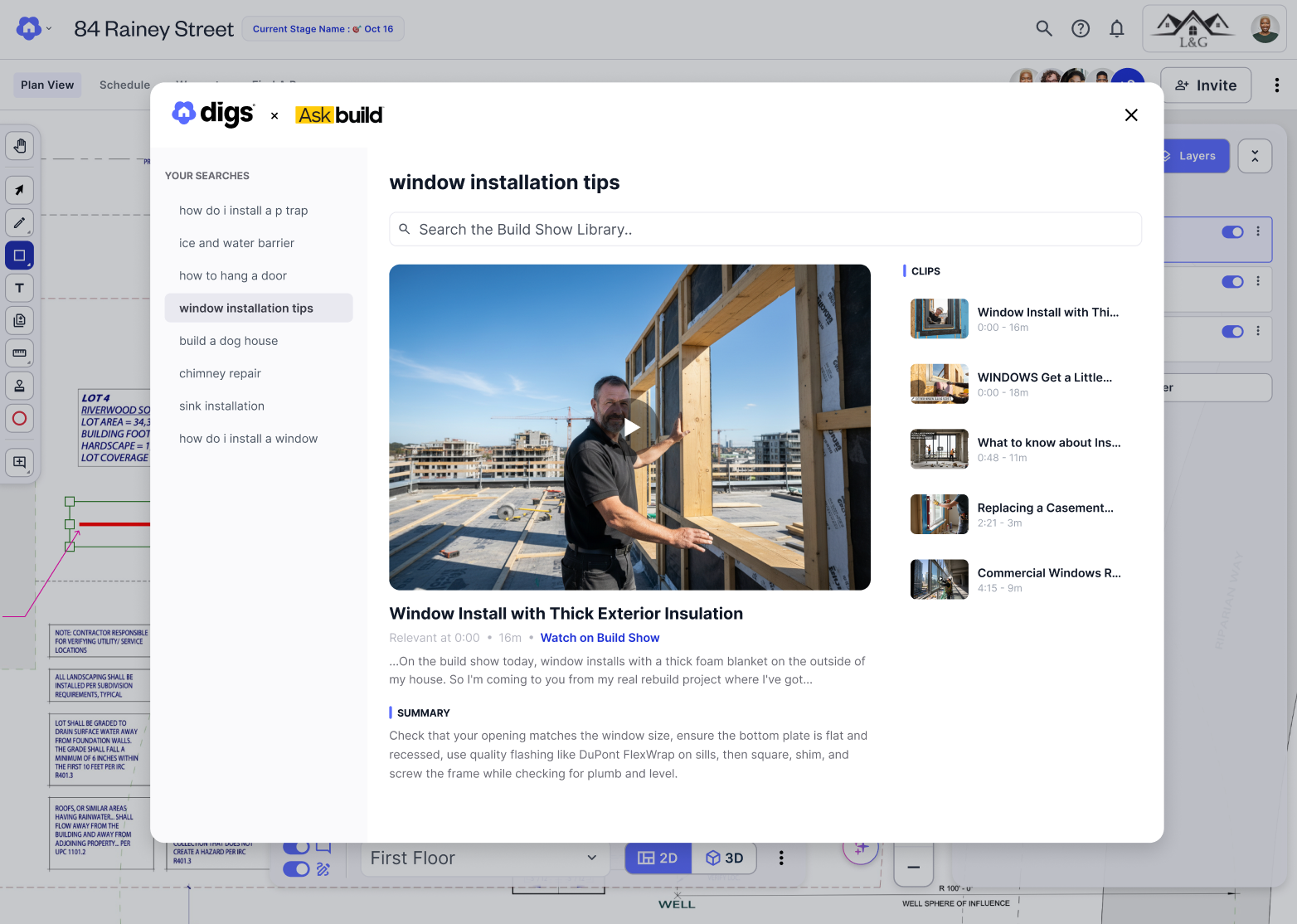
We’ve partnered with The Build Show to bring Ask.Build, their building-code assistant grounded in the IRC and the Build HD Standard, directly into Digs. Starting next week, Ask.Build members who ask AskDigs a how-to question like “how do I install sill pans?” will see a Build Show video cued to the exact moment that answers it, right alongside their AskDigs answer.
Signatures

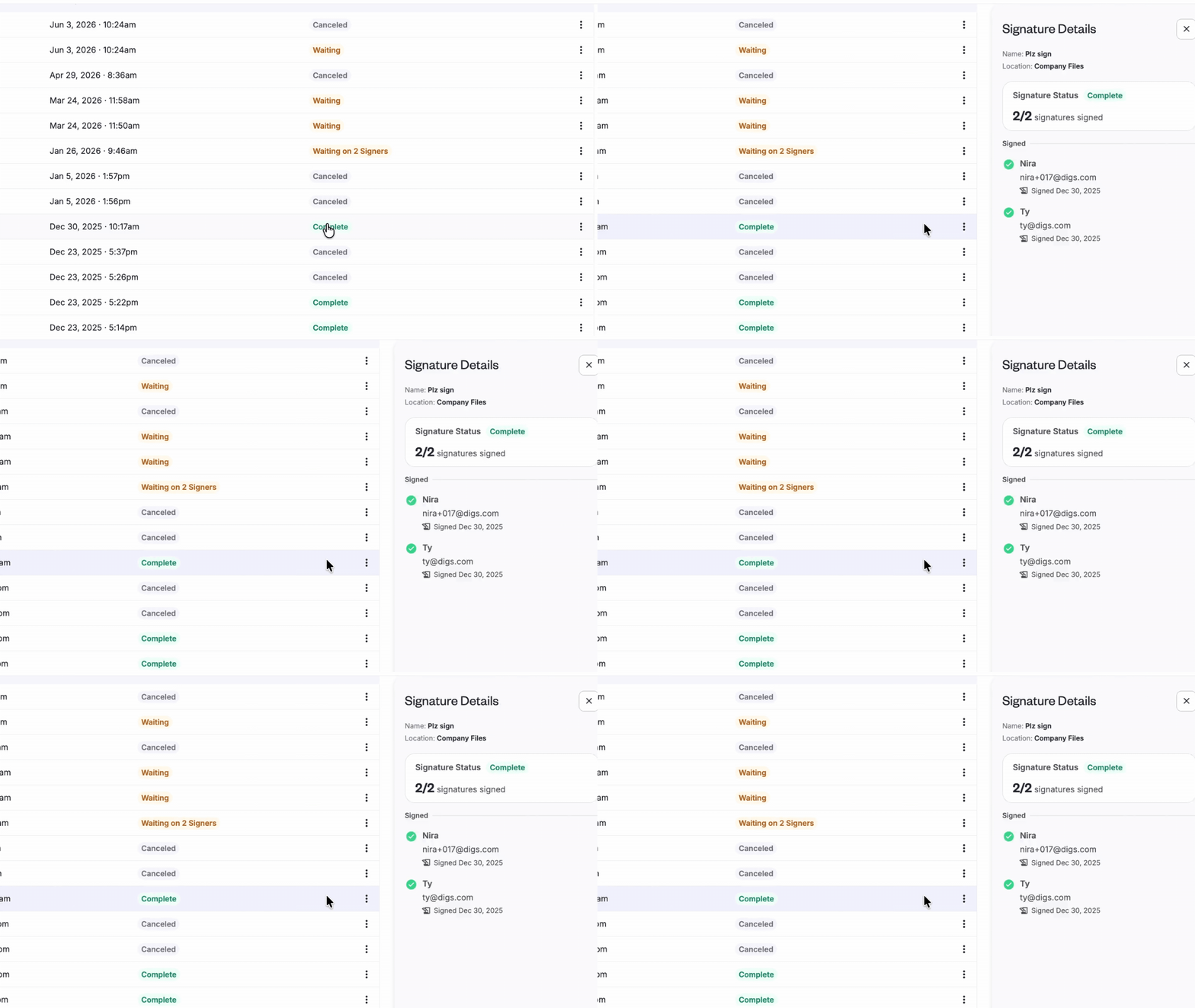
Getting a document signed used to mean tracking it down afterward in an email or a downloads folder. Now it stays with your project.

  • Preview without downloading. Open any signature document right in Digs. It shows where things stand, so you know whether it's still waiting on someone or fully signed.

  • A dashboard for every project. See everything that is out for signature on a project in one place.

  • Jump back to the source. A "go to source document" link takes you to the original file the signature request came from.

  • Easy to spot. Downloaded copies get a "Completed" prefix, so the final version is always clear.

Send a Document for Signature via Digs

Rich Text Markup

Notes on a busy plan used to blend into the drawing. Now you can style them so the important ones get seen.

  • Color-code notes by trade, priority, or status.

  • Size text up for key callouts, down for fine detail.

  • Strike through outdated notes instead of deleting them.

  • Format it all from one simple toolbar.
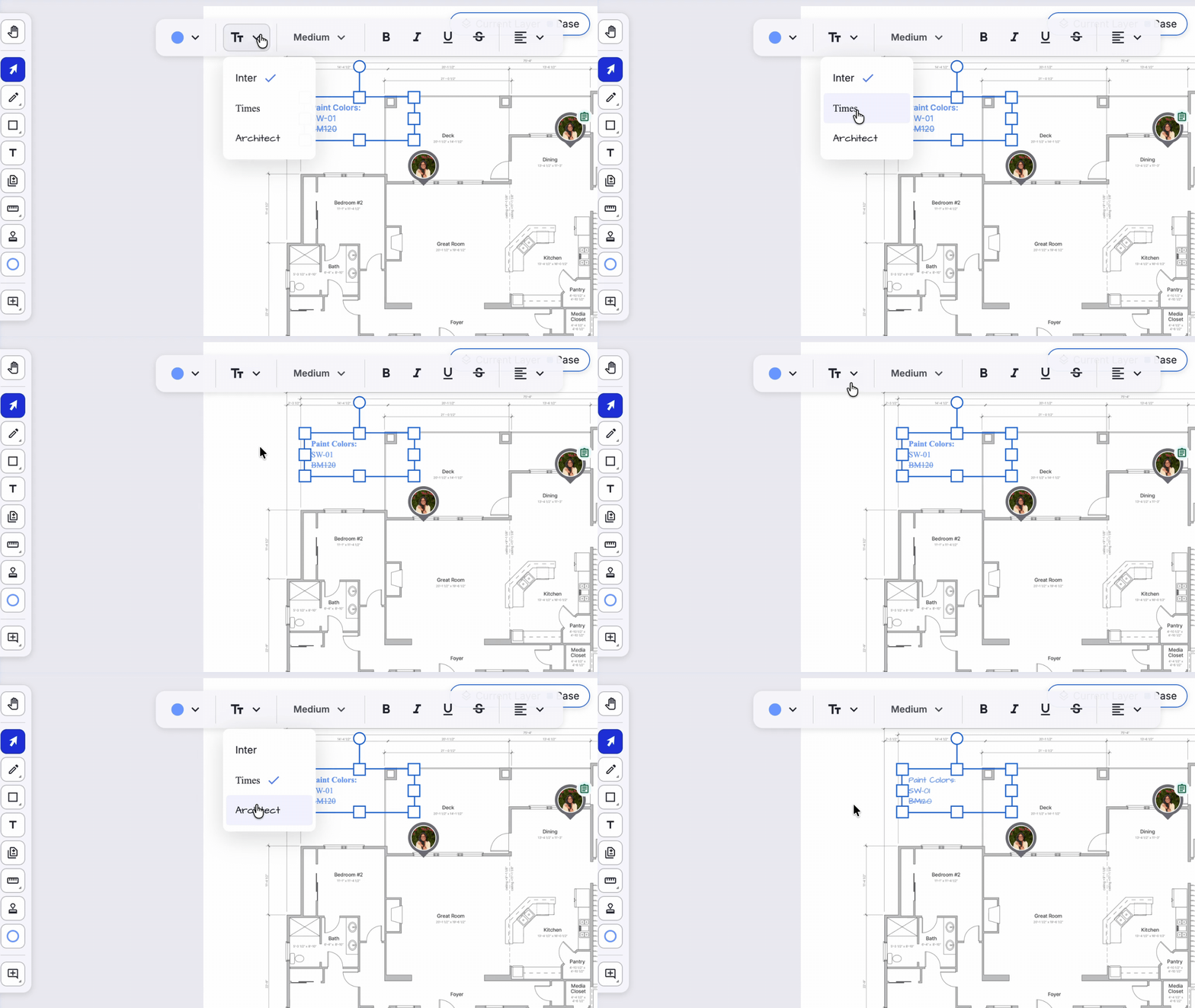
Markup your Plan

Smaller Improvements

  • Export any file as PDF. Need to send a file to someone outside Digs and include some of the markup? Any file can now be exported with Markup applied, it just gets converted on export to PDF, which makes them easy to share, print or attach. Don’t worry, this is just the export - your original file is still untouched.

  • Zoom on shared links. Trades and homeowners viewing a plan through a public link now get zoom buttons, so they can check details without asking you for a better copy.

  • Live warranty messages. New messages on a warranty ticket appear as they come in, with no page refresh. Conversations with homeowners and trades feel more like chat and less like email.

  • Faster AskDigs™. Answers now appear twice as fast, so you get what you need and move on.

Try AskDigs

Tips and Tricks

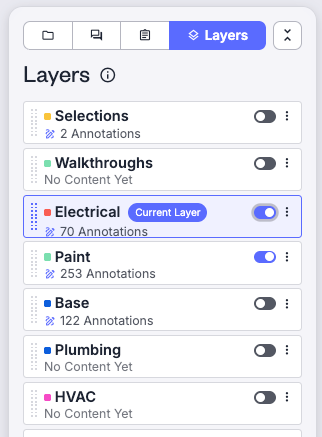
Managing Project Layers in Digs
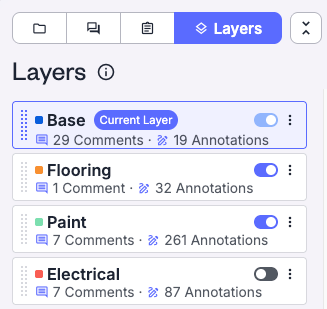
Lots of people are unaware that the top most active layer is always ‘Current.’ Learn about this and more by checking out our newest Digs Toolbox video!
Builders, did you know?

  • Digs can be part of your sales pitch as a builder. Every homeowner gets a free app that keeps their home organized and helps with upkeep, even after warranties end. It’s a great way to show buyers that you're invested in their success as homeowners, and gives them one more reason to feel good about choosing you.

  • Any documents you upload to Digs before closing can be passed to the homeowner at closeout. From day one, buyers will have their appliance manuals, paint colors, and finish specs in one place, and AskDigs™ uses that information to quickly answer their routine home-related questions on the fly. The more complete your records at handoff, the fewer calls your warranty team gets.
Framing Up Some Big News: July and August Recap

We closed out summer with a big one. Here's everything that shipped in July and August.


Digs is Partnering with Builders FirstSource

Builders FirstSource led our $25.3M Series A and signed a five-year commercial agreement to bring AI-powered workflows to homebuilding at scale.

Together we're turning thousands of disconnected construction documents into one connected source of truth: plans, specs, selections, approvals, warranties, and project history in one place. For the 140,000+ builders BFS serves, that means faster decisions, less rework, and a better experience for every homeowner. Read more


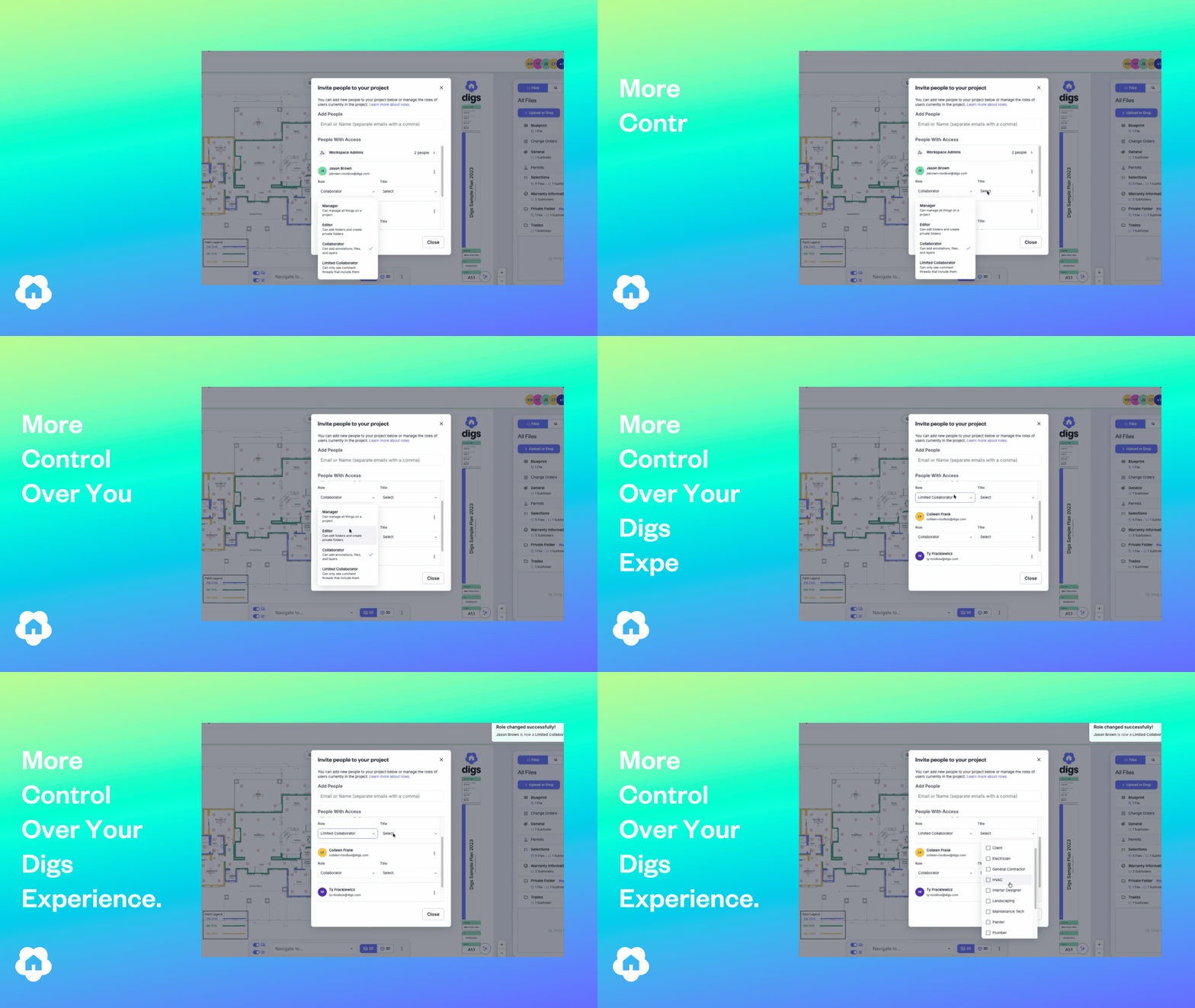
Limited Collaborators: More Control Over Private Conversations and Tasks

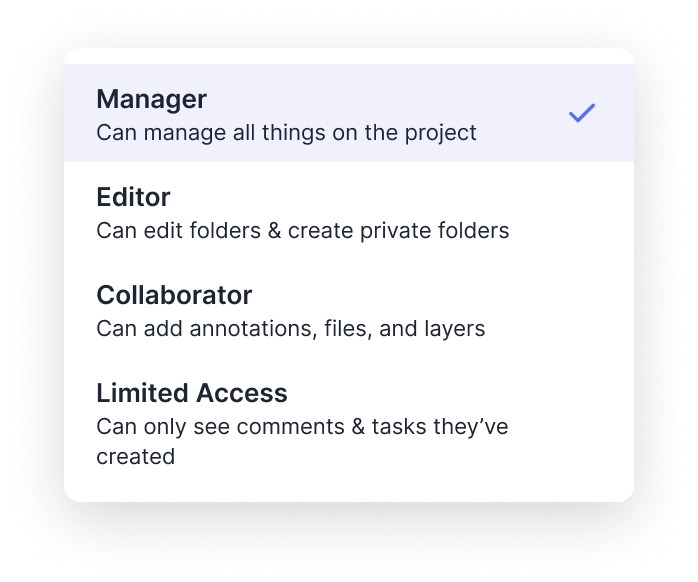
Not everyone on a project needs every notification. The new Limited Access role lets builders and project managers add someone to a project without opening them up to being @mentioned into everything. They're there when you need them, quiet when you don't.

Look for it: Choose Limited Collaborator as a role when managing users on a project. Full details in our support documentation.


Homeowner Handoffs: Invite Additional Users

A home rarely runs on one inbox. Until now, only whoever got named Homeowner at handoff had access, and that list was locked. Now homeowners can add more Managers. The moment someone gets the role, they get full access to the Homeowner Dashboard and DigsCare, so they can file requests and check coverage without waiting on you. Pull the role and the access leaves with it.

Look for it: In project settings, mark users as Project Managers to give them Homeowner functions.


User Titles: See Who’s on a Project

Project rosters shift, and it's not always obvious who's the builder and who's the electrician. Now every project user can carry a title that shows right next to their name. Fourteen options are available, from Builder to Vendor, and none is applied by default.

Look for it: Titles show next to names anywhere a project's user list appears.


DigsCare and Warranty Improvements

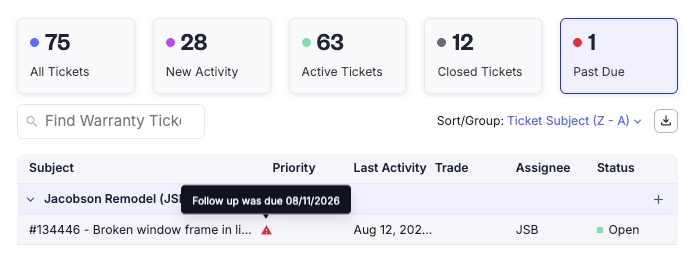
Follow-Up dates on tickets. Set a follow-up date on any ticket to mark the deadline for the next action. Customers never see it. Your warranty team gets alerted when something's due and can filter to just the tickets waiting on action. It also lands in the Dashboard report spreadsheet, ready for meetings.

Automatic project access for Warranty Agents. Agents used to see tickets across projects but couldn't create a new ticket or open project documents without an invite. Fixed. Agents are now auto-included in every handed-off and warranty-eligible project.

"Group by" now carries to exports. Group your Warranty Dashboard tickets by project and that grouping shows up in the exported document. You asked, we did it.


Base Layer Can Now Be Turned Off

When we shipped Base Layer as visible instead of hidden, most of the feedback was good, and plenty of you said we didn't go far enough. The top request was to turn Base Layer off completely, so any document or floor plan can start as a clean slate. That's live.

One note: if you add annotations while no layer is active, Base Layer turns back on automatically.


Introducing Digs Toolbox in Our Refreshed Support Center

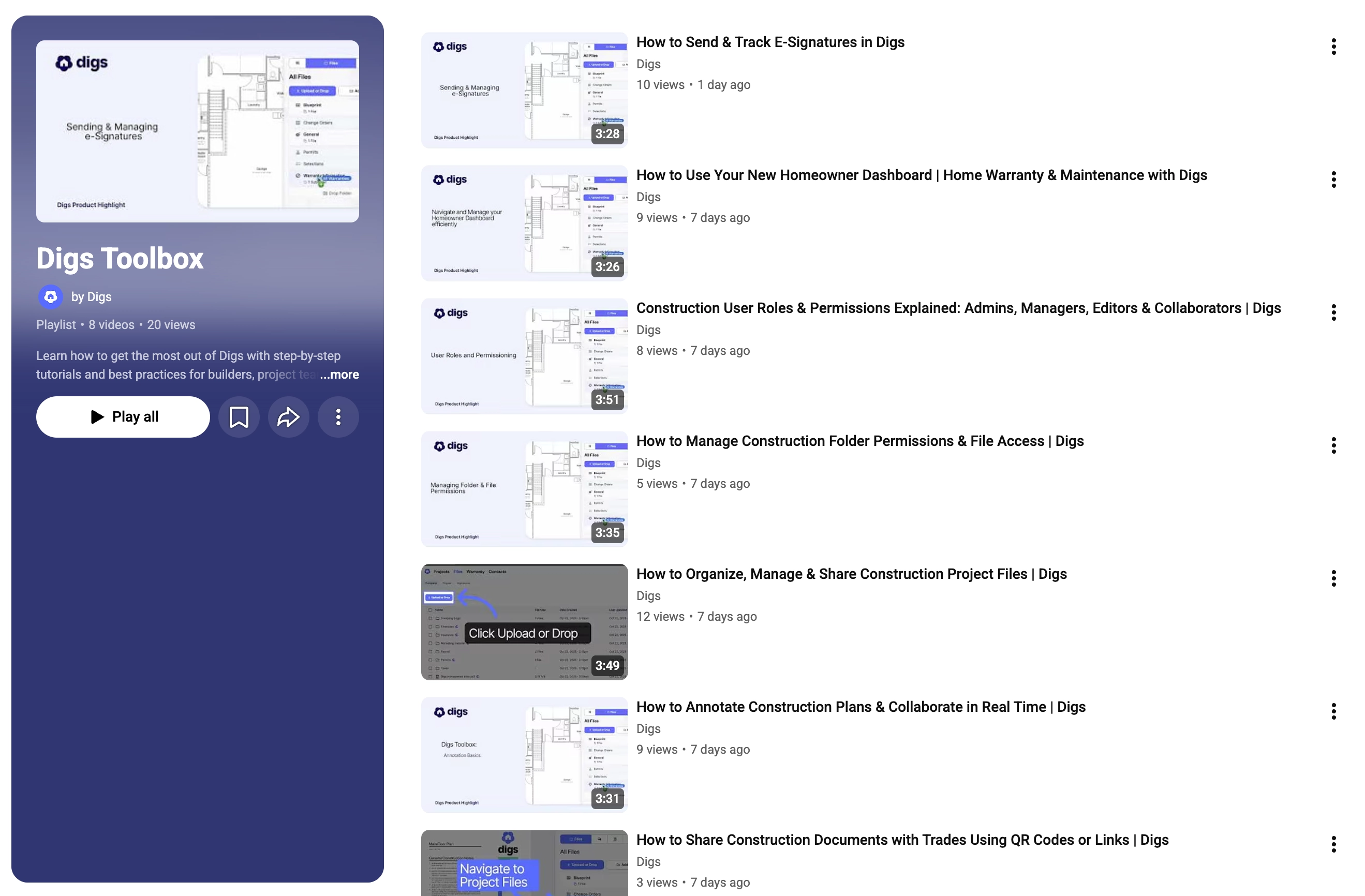
We reorganized the Digs Help Center so answers are grouped by what you're actually doing. We also launched the Digs Toolbox, a growing library of video tutorials covering the whole product. Find them in the Help Center or on our YouTube channel. Head to support.digs.com to take a look.


Small, but Mighty Updates

Print button on Share Links. A Print button now sits next to Download in the Share Links document view, for a quick offline copy of the source file.

Logos on QR Codes. Upload a square logo in Workspace Settings and it'll show up on your QR codes automatically. Existing codes keep working, and anything shared digitally picks up the logo once the upload finishes.

Scrollable Warranty Tickets Sidebar. The sidebar now scrolls, so a long list of attachments and suggested documents never gets squeezed into a tiny space.

Bug Fix. Date pickers in Warranty, Tasks, and other areas could sometimes accept malformed years and throw errors. Resolved.


Pro Tip: keyboard shortcuts

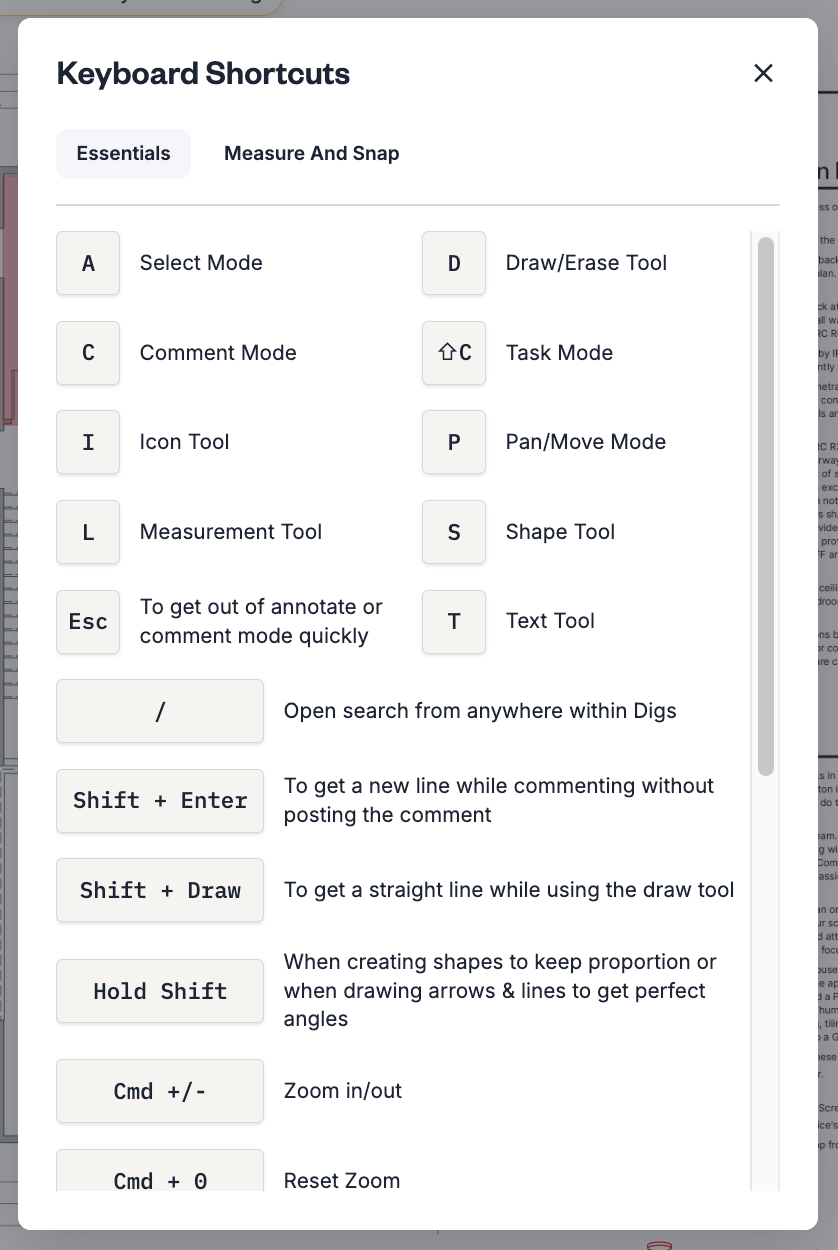
Hit Shift + / to pull up the full list of shortcuts in Digs. They make navigating and editing a lot faster once they're in muscle memory.

June Updates: Hot Off the Grill

📣 Signatures: See Exactly Where Things Stand

The Signatures side panel got a major upgrade. Click a signature request's status chip to see each signer's progress— signed, pending, or declined— along with a timestamp of their most recent activity.

Waiting on someone? You can see whether they've viewed the request or received a reminder, and when. If you've canceled a request, the panel switches to a "Did Not Sign" view so you're not distracted by activity history that no longer matters.

No more guessing who's holding things up.

👉 Send a Document for Signatures


🚀 Share Conversations in One Click

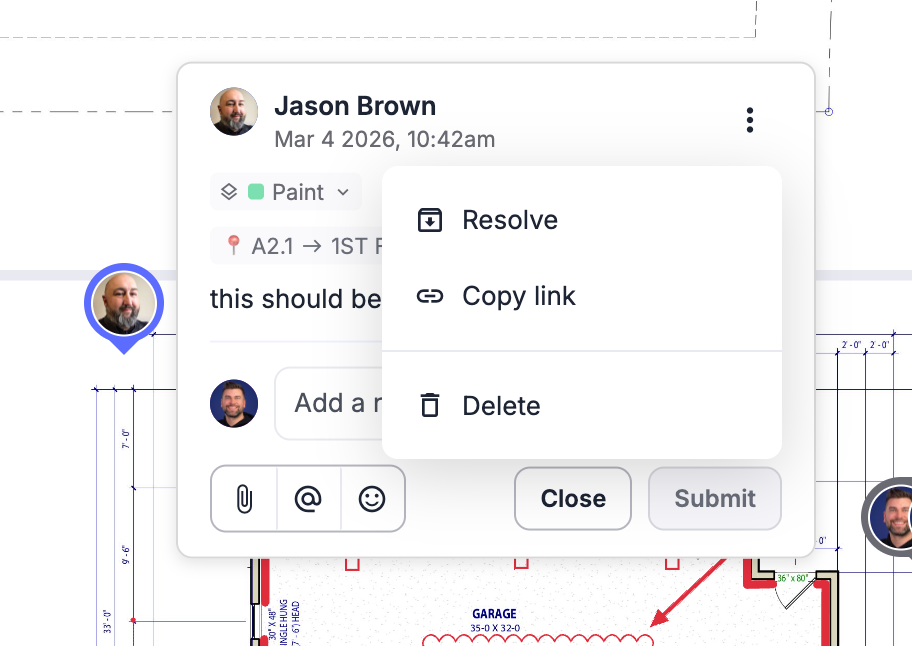
Need to bring someone into the conversation? You can now copy a direct link to any comment or task and share it with your team, trades, or clients.

One click takes them straight to the conversation— no searching required.


✅ Warranty Tracking: Cleaner & More Reliable

We’ve made a few improvements to help you manage and report on warranty tickets more efficiently.

  • Filter Before You Export: Apply filters to your Warranty Dashboard before generating reports, ensuring you export only the tickets and data you need.

  • Smoother Ticket Editing: Fixed an issue where special characters (like ?) in ticket subjects could trigger the help menu. Inline editing is now seamless, with no more keyboard conflicts.


👀 Base Layers are now Visible

Digs has always had a base layer; you just couldn't see it. This update makes it visible in your layer list so you can toggle it, exclude it from exports, and move items off it to a more specific layer. Nothing about how your data is stored has changed.

👉 Try it now!


📷 Company Cam - A simple path to visual documentation

You don’t need CompanyCam to get the full value of Digs— we’ve built powerful documentation and photo management tools right into the platform.

That said, if your team already uses CompanyCam, the two tools complement each other well. While a formal integration isn’t available yet, many builders are successfully using both to streamline field documentation and project collaboration.

CompanyCam is built for capturing photos on the job site. Digs is built for organizing and storing what matters long term. Used side by side, they give your team a clean way to document project stages from framing to finish, then carry the right records forward into warranty and homeowner handoff.

If you're already using both tools and want to sharpen how your team moves between them, we’d love to hear from you. We're assessing whether a more direct connection makes sense— and that conversation starts by hearing from the people doing the work. The more we understand how builders are using these tools together today, the better we can shape what comes next.

More Details here and a new User Guide

💡 Did you know?

⚡ Pro Tip: Not every document belongs in the homeowner’s project.
Separate internal and homeowner files from the very start. Hand off becomes much simpler when everything is already organized.

Earlier updates