Goodbye Build Season, Hello Built Season: Fall Updates
This season was about keeping your work inside Digs, so you spend less time hunting through inboxes and downloads. Here's what shipped:
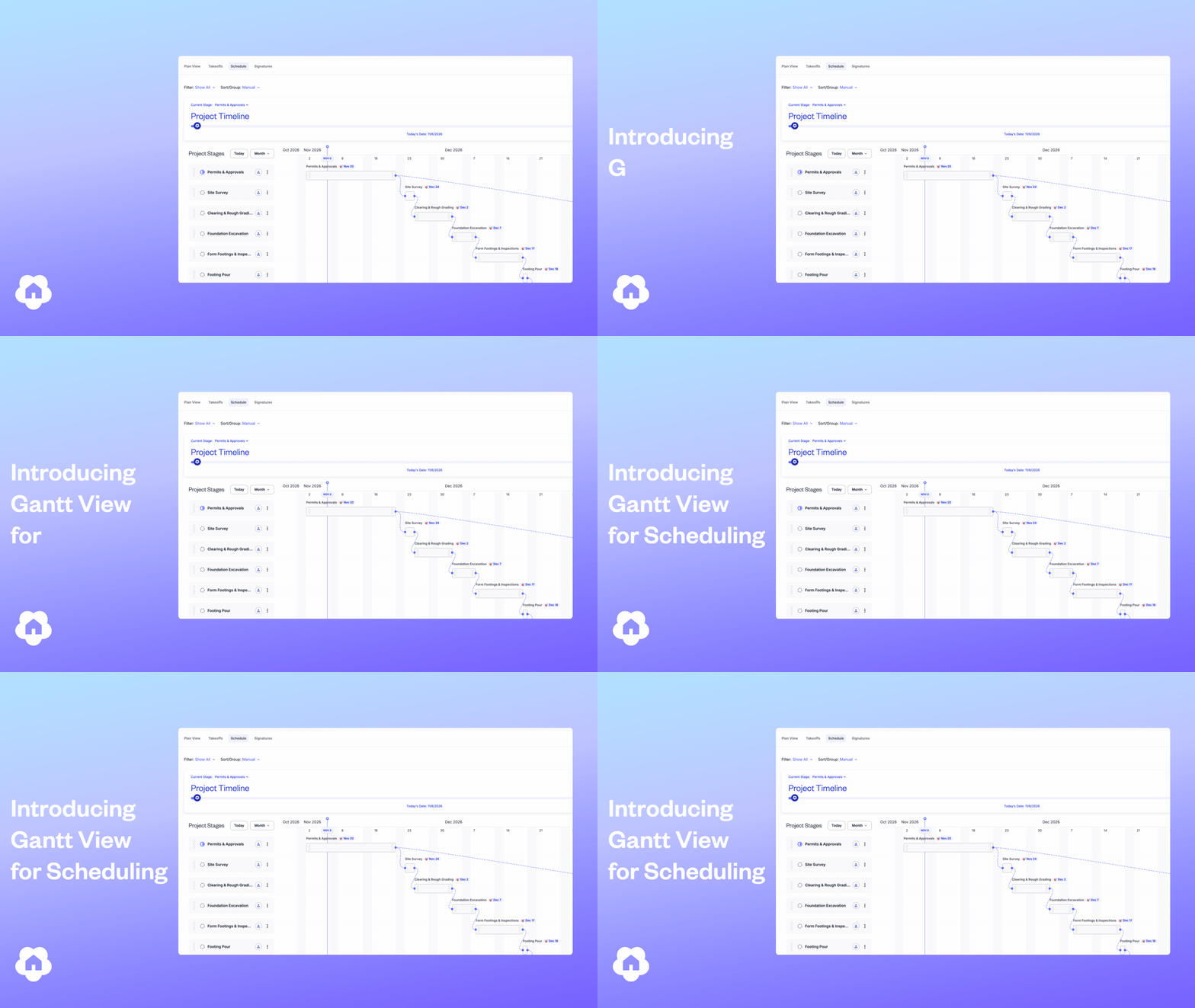
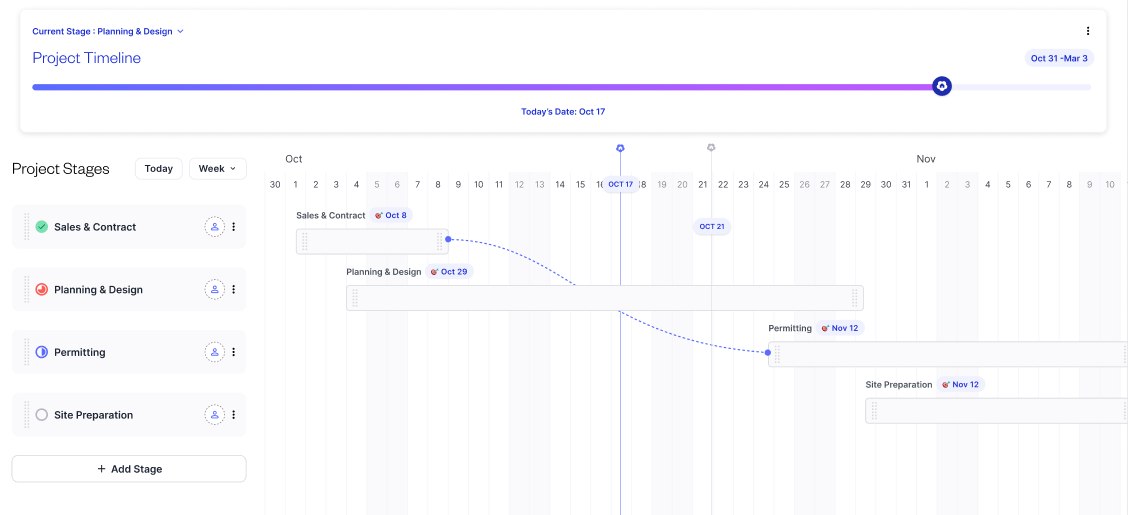
Gantt View for Scheduling
Your schedule, laid out as a timeline. Gantt view shows every stage week by week, so you can see what overlaps and what's coming up at a glance. Changes to the schedule show up as they happen, so everyone is looking at the same plan.
Digs x The Build Show
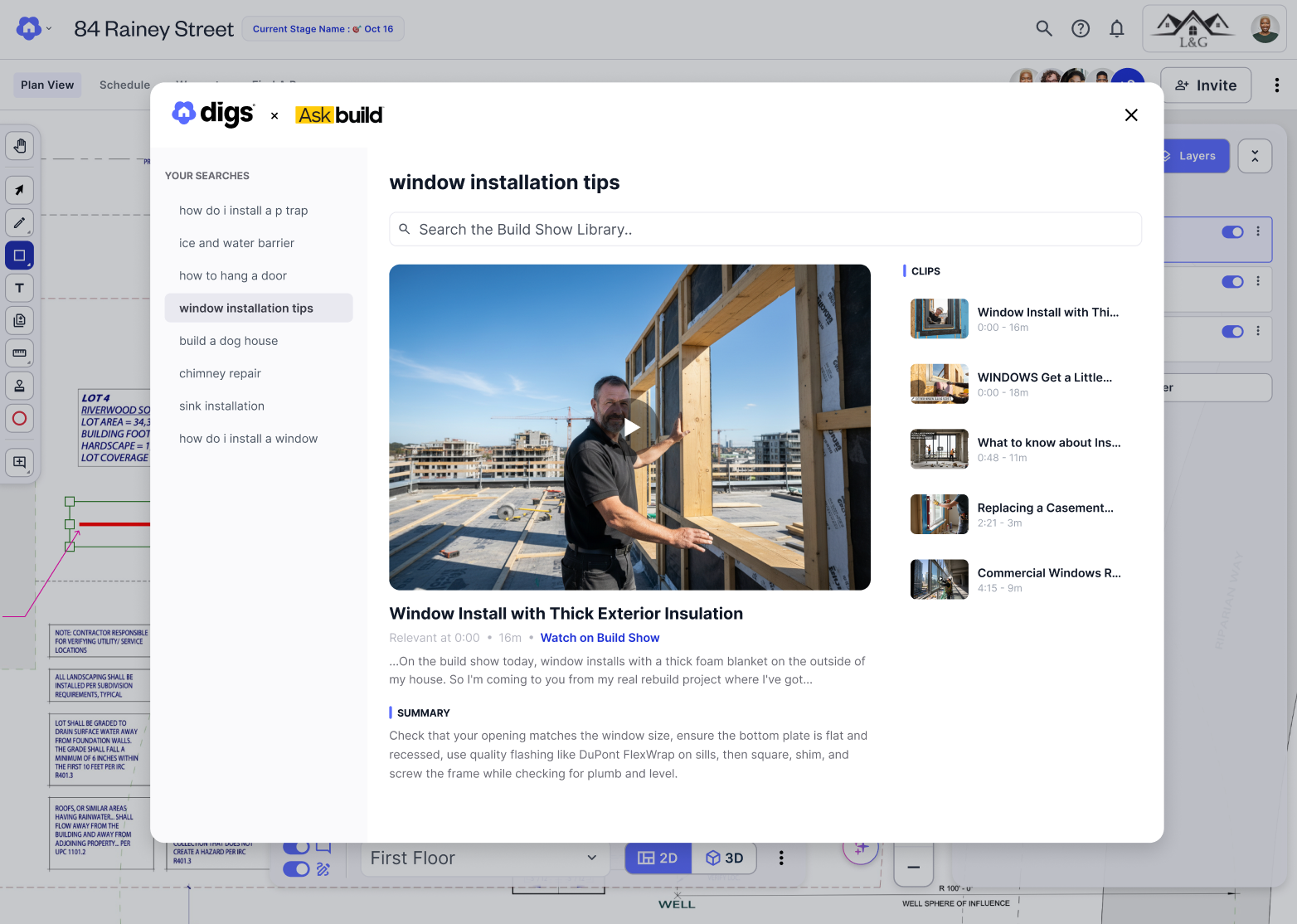
We’ve partnered with The Build Show to bring Ask.Build, their building-code assistant grounded in the IRC and the Build HD Standard, directly into Digs. Starting next week, Ask.Build members who ask AskDigs a how-to question like “how do I install sill pans?” will see a Build Show video cued to the exact moment that answers it, right alongside their AskDigs answer.
Signatures
Getting a document signed used to mean tracking it down afterward in an email or a downloads folder. Now it stays with your project.
Preview without downloading. Open any signature document right in Digs. It shows where things stand, so you know whether it's still waiting on someone or fully signed.
A dashboard for every project. See everything that is out for signature on a project in one place.
Jump back to the source. A "go to source document" link takes you to the original file the signature request came from.
Easy to spot. Downloaded copies get a "Completed" prefix, so the final version is always clear.
Send a Document for Signature via Digs
Rich Text Markup
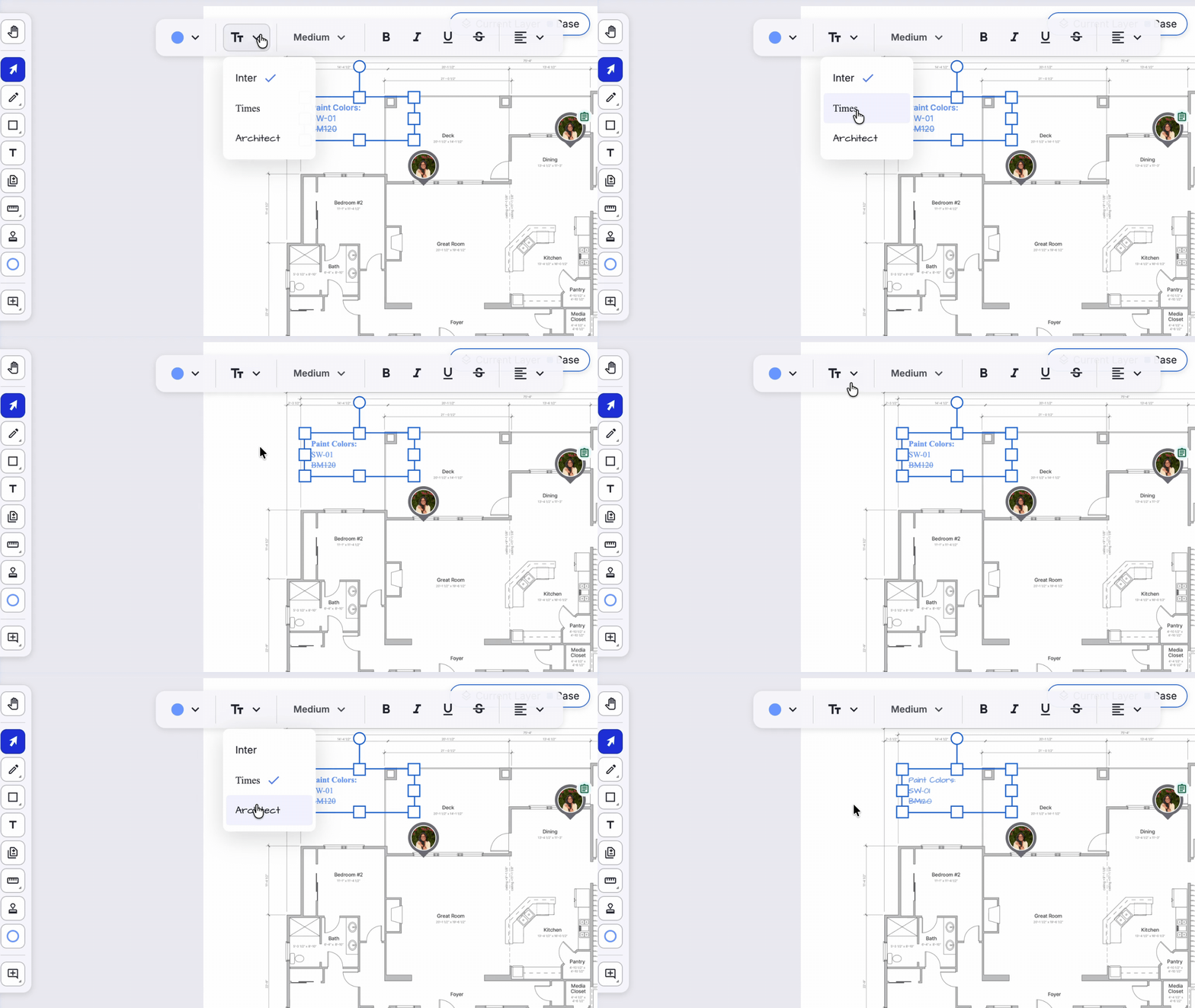
Notes on a busy plan used to blend into the drawing. Now you can style them so the important ones get seen.
Color-code notes by trade, priority, or status.
Size text up for key callouts, down for fine detail.
Strike through outdated notes instead of deleting them.
Format it all from one simple toolbar.
Smaller Improvements
Export any file as PDF. Need to send a file to someone outside Digs and include some of the markup? Any file can now be exported with Markup applied, it just gets converted on export to PDF, which makes them easy to share, print or attach. Don’t worry, this is just the export - your original file is still untouched.
Zoom on shared links. Trades and homeowners viewing a plan through a public link now get zoom buttons, so they can check details without asking you for a better copy.
Live warranty messages. New messages on a warranty ticket appear as they come in, with no page refresh. Conversations with homeowners and trades feel more like chat and less like email.
Faster AskDigs™. Answers now appear twice as fast, so you get what you need and move on.
Tips and Tricks
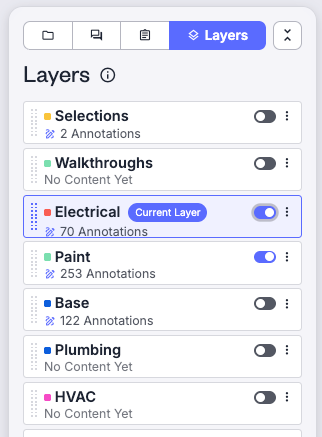
Managing Project Layers in Digs
Lots of people are unaware that the top most active layer is always ‘Current.’ Learn about this and more by checking out our newest Digs Toolbox video!
Builders, did you know?
Digs can be part of your sales pitch as a builder. Every homeowner gets a free app that keeps their home organized and helps with upkeep, even after warranties end. It’s a great way to show buyers that you're invested in their success as homeowners, and gives them one more reason to feel good about choosing you.
Any documents you upload to Digs before closing can be passed to the homeowner at closeout. From day one, buyers will have their appliance manuals, paint colors, and finish specs in one place, and AskDigs™ uses that information to quickly answer their routine home-related questions on the fly. The more complete your records at handoff, the fewer calls your warranty team gets.