🔗 Seamless Scheduling, Signatures & File Management—All in Digs!
🗓️ Project Scheduling
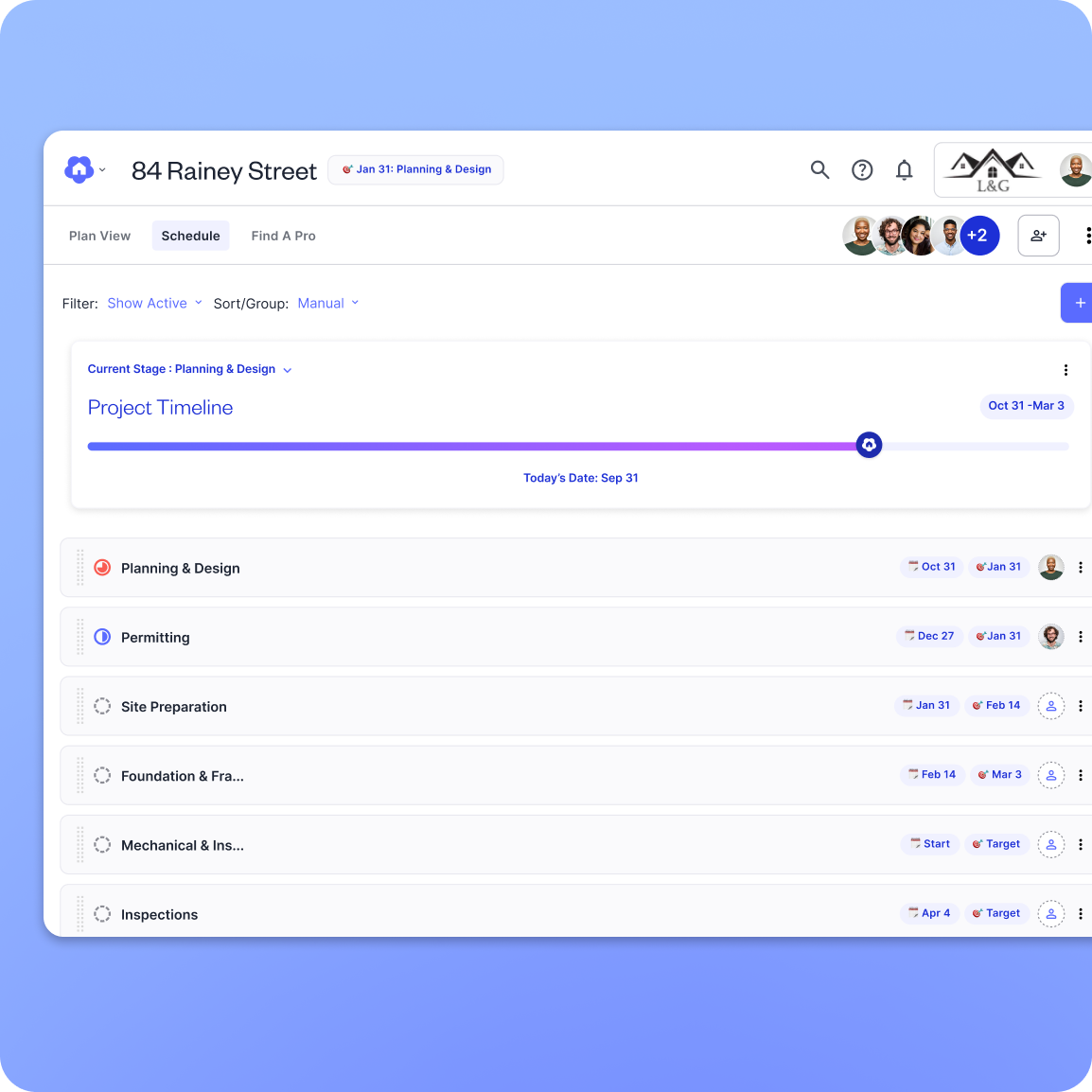
We’re excited to introduce Project Scheduling, a simple, intuitive way to track project progress and keep stakeholders informed. No complex setup—just clear timelines, automatic updates, and real-time notifications to help builders stay on schedule. Learn More.
✨ What’s New?
✔ Track Project Stages – See what’s happening now and what’s coming next.
✔ Automatic Adjustments – If delays happen, the timeline updates accordingly.
✔ Instant Notifications – Keep stakeholders informed of any changes.
✔ Organized & Filtered View – Easily sort stages by status, due date, or group them for better visibility.
✔ Mobile & Desktop Ready – Stay connected wherever you work.
✍️ E-Signatures
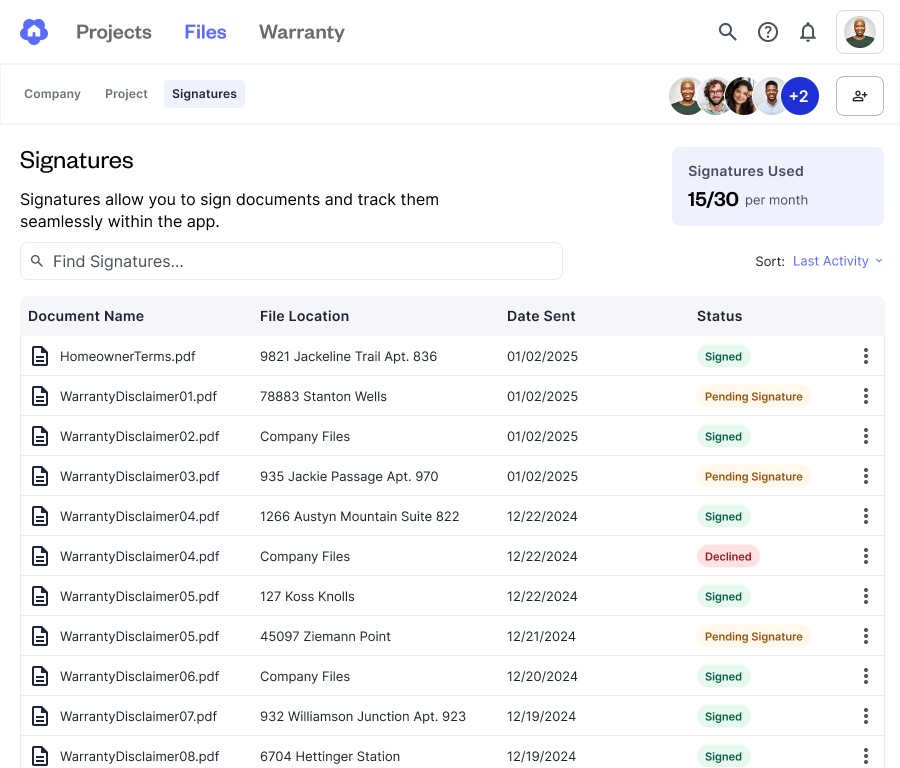
Digs makes it easy to send project documents for signature, ensuring agreements are finalized quickly and securely. Powered under the hood by the Dropbox Signatures, Builders with a paid workspace can send documents for signature directly from project files, company files, or even inside a document itself. Learn More
✨What’s New?
✔️ Send secure signature packages for signature
✔️ Automatically store and keep completed documents in your Digs Workspace
✔️ Each paid workspace user contributes 5 signatures a month to the workspace’s shared pool
Dropbox Integration
Upload files directly from Dropbox to Digs—no downloads required.
You can now upload files from your Dropbox account into Digs without having to download them first, delivering a seamless workflow, that enhances collaboration and improves document management. Learn More
✨ What’s New?
✔️ Save time by skipping local downloads.
✔️ Keep projects moving with an effortless upload experience.
✔️ Enjoy smooth integration across Digs' project and workspace file management.
Coming Soon: Bi-directional sync for Pro subscribers, making collaboration even easier.
✏️ Edit Room Labels
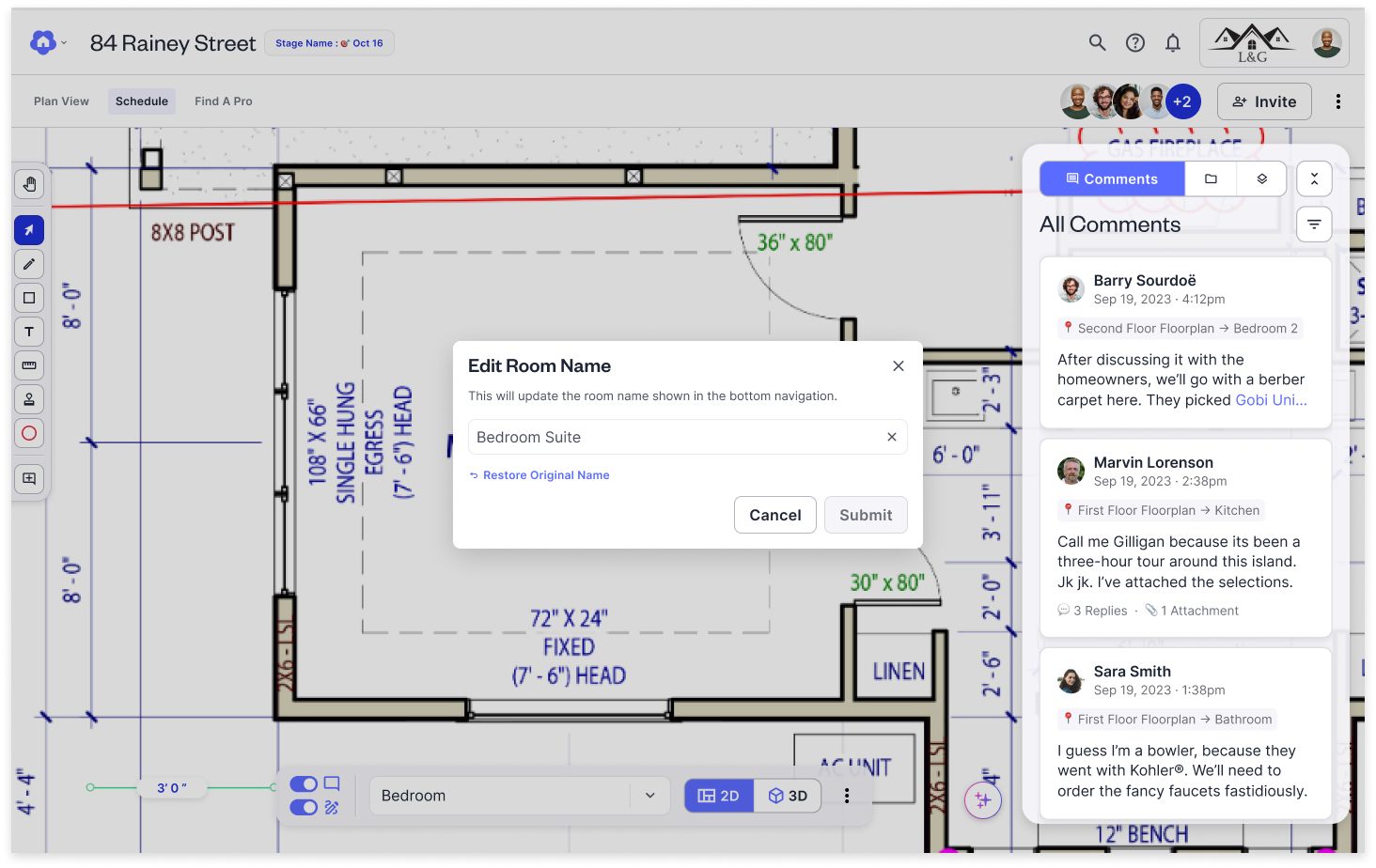
We’re excited to introduce Edit Room Labels, a highly requested feature that lets you rename automatically identified rooms and spaces within your floor plan. Now, you can customize room names to match your project needs—whether it's “Billy’s Room” or “Sarah’s Bathroom”—for better clarity and organization.
✨ What’s New?
✔ Rename rooms to reflect your preferred terminology
✔ Updates persist across all project views and exports
✔ Undo or revert names if needed
With Edit Room Labels, your floor plans are now more flexible, accurate, and tailored to your workflow. Try it today and bring your projects to life with custom naming!
📌 Pin your favorite projects
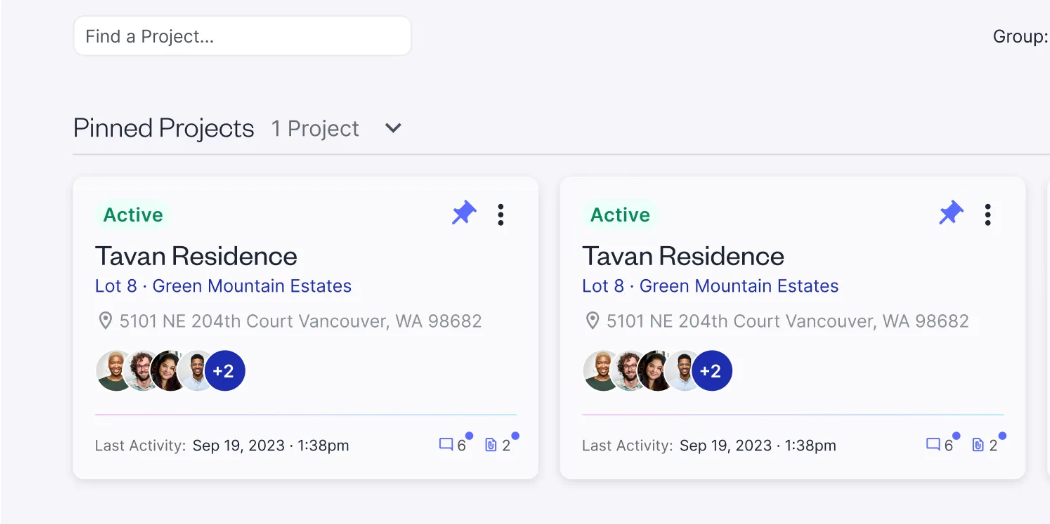
Have a lot of active projects, but just want to focus on certain ones? No problem, you can now pin your most used or favorite projects directly to the top of the projects list. Simply tap the Pin and voila!
🎯 Tips and Tricks
Want to take your Digs experience to the next level? With a few smart tips and tricks, you’ll streamline your workflow, stay organized, and collaborate more efficiently than ever.
Boost Efficiency with the “Copy To” Feature Save time and keep your team on the same page with the Copy To feature in Digs Pro! Easily place company files into specific projects, ensuring everyone has access to the most up-to-date resources—no extra steps required. Learn More
Export Annotated Layers for Clearer Communication Before exporting, organize your annotations into separate layers for different teams or purposes—like plumbing, electrical, or structural. Flatten and upload the final version to Digs for easy access and collaboration. Learn More
Boost On-Site Clarity with QR Codes Ensure teams get the right info fast! Export annotated documents, generate a QR code in Digs, and share instantly—no searching needed. Learn More
Speed Up Navigation with Intelligent Search Quickly find the files, blueprints, or annotations you need with Intelligent Search in Digs. Use keywords to instantly locate documents—saving time and keeping your workflow seamless. Learn More